
Live Analysis for Video
Understand and act on videos in real time.
problem
Live Video Moves Faster than Humans can React
Teams generate massive volumes of live video—from sports, broadcasts, testing environments, and live events.
But understanding what’s happening still depends on manual monitoring and delayed review.
Our Solution
With Flowstate, Live Video becomes Actionable in Real Time
Live Analysis continuously analyzes live streams, detects moments as they occur, and triggers clips, alerts, or workflows without post-processing delays.
Feature 1/2
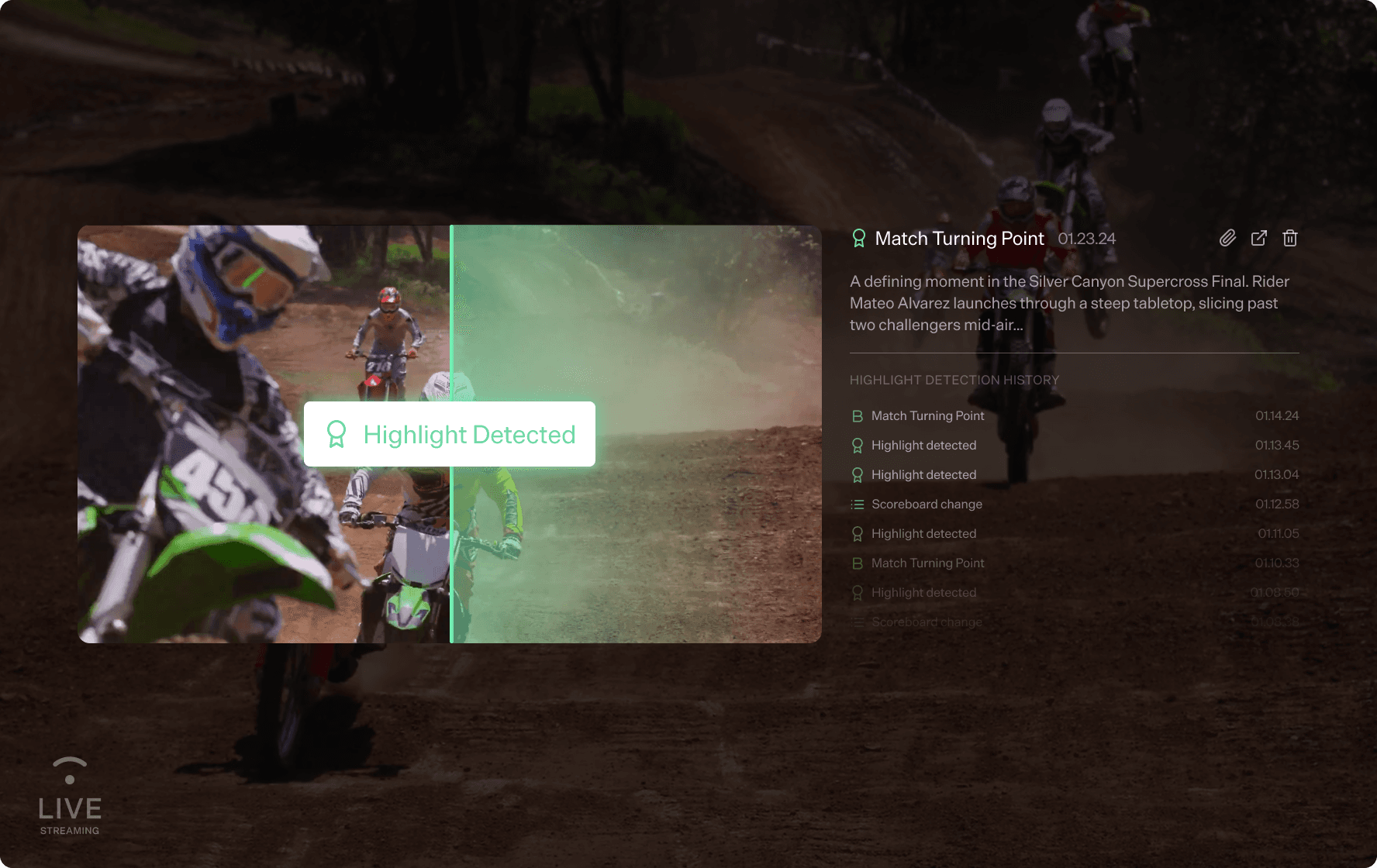
Analyze video as it streams
Live Analysis detects visual, audio, and semantic signals in real time:
Events, actions, and scene changes
Brand appearances or violations
Domain-specific moments based on your context
Insights are available immediately, not after the stream ends.
Feature 2/2
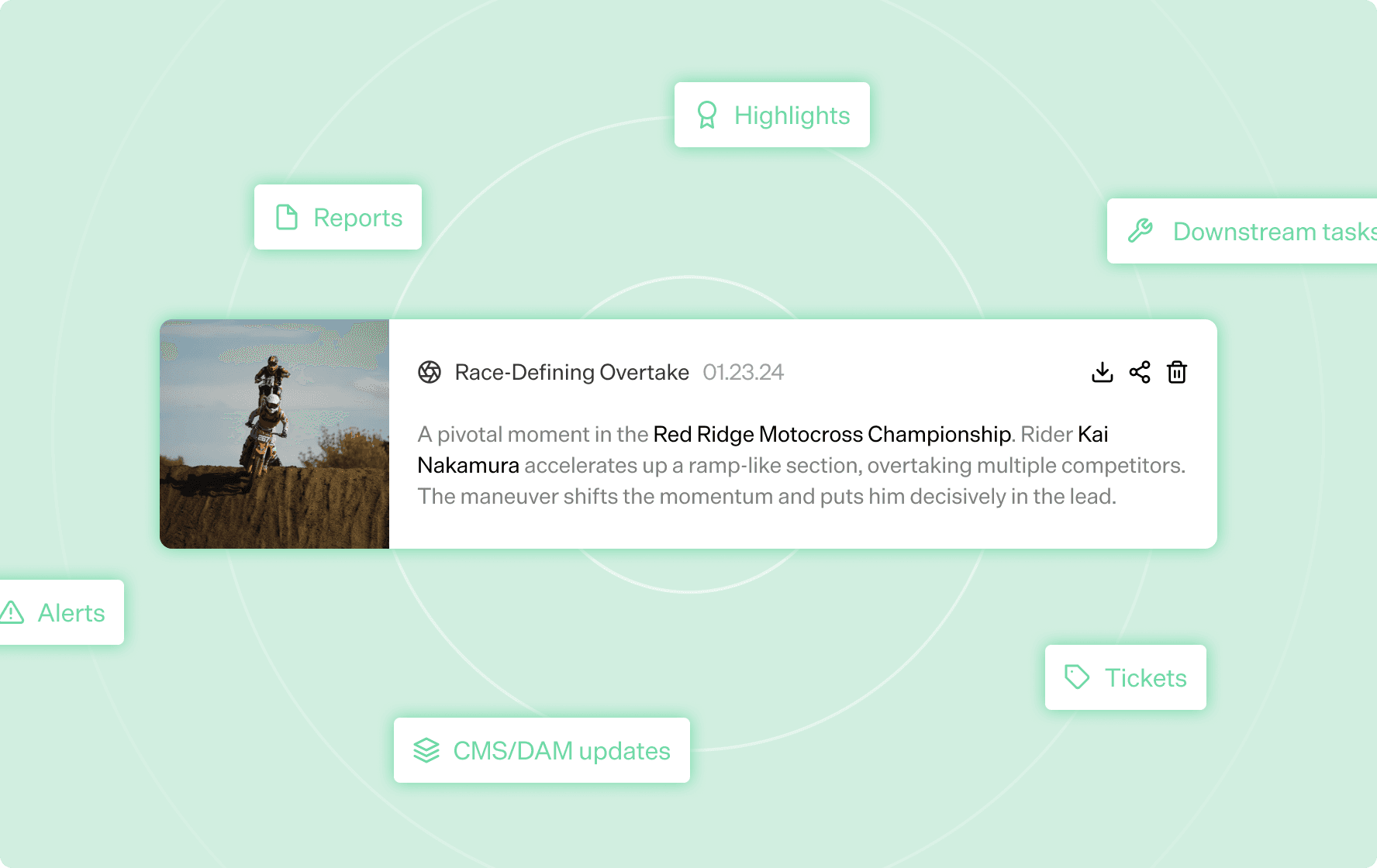
Instant alerts and workflows
Turn moments into actions.
When a relevant moment is detected, Live Analysis can:
Trigger alerts (Slack, email, internal systems)
Generate timestamped clips
Create tickets, reports, or downstream tasks
This enables fast response and automated decision-making.

Feature 1/2
Analyze video as it streams
Live Analysis detects visual, audio, and semantic signals in real time:
Events, actions, and scene changes
Brand appearances or violations
Domain-specific moments based on your context
Insights are available immediately, not after the stream ends.
Feature 2/2
Instant alerts and workflows
Turn moments into actions.
When a relevant moment is detected, Live Analysis can:
Trigger alerts (Slack, email, internal systems)
Generate timestamped clips
Create tickets, reports, or downstream tasks
This enables fast response and automated decision-making.
Feature 1/2
Analyze video as it streams
Live Analysis detects visual, audio, and semantic signals in real time:
Events, actions, and scene changes
Brand appearances or violations
Domain-specific moments based on your context
Insights are available immediately, not after the stream ends.
Feature 2/2
Instant alerts and workflows
Turn moments into actions.
When a relevant moment is detected, Live Analysis can:
Trigger alerts (Slack, email, internal systems)
Generate timestamped clips
Create tickets, reports, or downstream tasks
This enables fast response and automated decision-making.
Testimonials
Hear what our customers have to say


FAQ
Who is Flowstate built for?
Flowstate is built for enterprises and teams that work with large volumes of video across media, sports, security, and internal knowledge.
What problems does Flowstate solve?
Flowstate eliminates manual video review, tagging, and searching by transforming raw video into a structured, queryable system that teams can use to find moments, generate clips, and trigger workflows automatically.
How does Flowstate understand video?
Flowstate uses multimodal AI agents that analyze visuals, audio, speech, on-screen text, and temporal context at the frame level to extract meaning from video.
Can Flowstate search and answer questions about video content?
Yes. Flowstate enables semantic search and natural-language Q&A across entire video libraries, including moments that were never explicitly spoken or tagged.
How is Flowstate priced?
Flowstate pricing is usage-based and tailored to enterprise needs, factoring in video volume, processing type (archive or live), and deployment requirements.
How do we get started or evaluate Flowstate?
Teams typically start with a guided demo or pilot to validate use cases, performance, and integration before moving to production.
How does Flowstate integrate with existing systems?
Flowstate integrates via APIs and SDKs and can connect to existing storage, CMS, DAM/MAM systems, and enterprise tools to fit into current workflows without data duplication.
Who is Flowstate built for?
Flowstate is built for enterprises and teams that work with large volumes of video across media, sports, security, and internal knowledge.
What problems does Flowstate solve?
Flowstate eliminates manual video review, tagging, and searching by transforming raw video into a structured, queryable system that teams can use to find moments, generate clips, and trigger workflows automatically.
How does Flowstate understand video?
Flowstate uses multimodal AI agents that analyze visuals, audio, speech, on-screen text, and temporal context at the frame level to extract meaning from video.
Can Flowstate search and answer questions about video content?
Yes. Flowstate enables semantic search and natural-language Q&A across entire video libraries, including moments that were never explicitly spoken or tagged.
How is Flowstate priced?
Flowstate pricing is usage-based and tailored to enterprise needs, factoring in video volume, processing type (archive or live), and deployment requirements.
How do we get started or evaluate Flowstate?
Teams typically start with a guided demo or pilot to validate use cases, performance, and integration before moving to production.
How does Flowstate integrate with existing systems?
Flowstate integrates via APIs and SDKs and can connect to existing storage, CMS, DAM/MAM systems, and enterprise tools to fit into current workflows without data duplication.
Who is Flowstate built for?
Flowstate is built for enterprises and teams that work with large volumes of video across media, sports, security, and internal knowledge.
What problems does Flowstate solve?
Flowstate eliminates manual video review, tagging, and searching by transforming raw video into a structured, queryable system that teams can use to find moments, generate clips, and trigger workflows automatically.
How does Flowstate understand video?
Flowstate uses multimodal AI agents that analyze visuals, audio, speech, on-screen text, and temporal context at the frame level to extract meaning from video.
Can Flowstate search and answer questions about video content?
Yes. Flowstate enables semantic search and natural-language Q&A across entire video libraries, including moments that were never explicitly spoken or tagged.
How is Flowstate priced?
Flowstate pricing is usage-based and tailored to enterprise needs, factoring in video volume, processing type (archive or live), and deployment requirements.
How do we get started or evaluate Flowstate?
Teams typically start with a guided demo or pilot to validate use cases, performance, and integration before moving to production.
How does Flowstate integrate with existing systems?
Flowstate integrates via APIs and SDKs and can connect to existing storage, CMS, DAM/MAM systems, and enterprise tools to fit into current workflows without data duplication.











Experience FlowState in action
Explore Enterprise-Grade Video Intelligence Built for Scale and Security.
Experience FlowState in action
Explore Enterprise-Grade Video Intelligence Built for Scale and Security.
Experience FlowState in action
Explore Enterprise-Grade Video Intelligence Built for Scale and Security.

© 2026 FlowState AI, Inc., All Rights Reserved

© 2026 FlowState AI, Inc., All Rights Reserved
© 2026 FlowState AI, Inc., All Rights Reserved